RGB Split Filter
将 Shape 的红、绿、蓝通道分离并偏移。
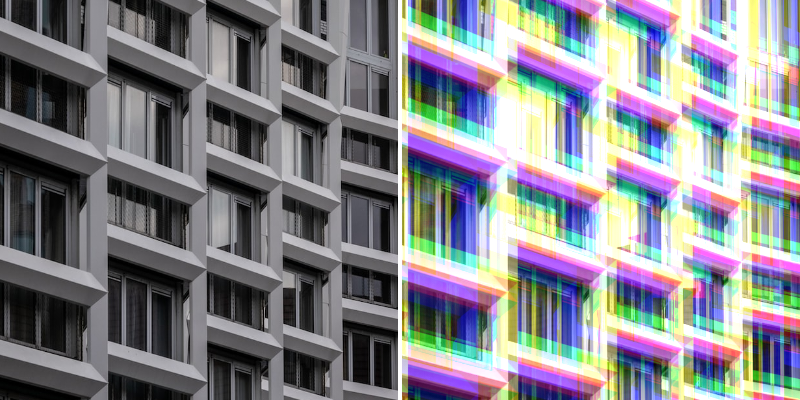
Photo by Tom Podmore on Unsplash
- Settings
- Colors
Base Layer - 显示/隐藏原始图层。
Blend Mode - 选择 Blend Mode。
Strength - 增加/减少每个颜色通道的偏移量。
Automatic Padding - 根据 Filter 设置自动增加内边距。这将防止可能出现的裁剪。
Padding - 增加/减少 Shape 的内边距。可用于裁剪 Shape 的边缘。
Repetitions - 设置 Filter 效果处理的次数。
Repetition Distance - 设置第一次和最后一次重复之间的距离。
Rotation - 旋转每次重复。
Red Channel - 设置红色通道使用的颜色。
Green Channel - 设置绿色通道使用的颜色。
Blue Channel - 设置蓝色通道使用的颜色。
Red Channel Offset - 设置红色通道的位置偏移。
Blue Channel Offset - 设置蓝色通道的位置偏移。
Green Channel Offset - 设置绿色通道的位置偏移。