Component
Components 是包含其他 Layers 集合的 Layers。这些 Layers 的属性可以提升到 Component 中,以创建自定义用户界面。
通过将其他 Layers 设为 Component 的子级,这些 Layers 可以被 Component 隐藏,从而创建简化的用户界面。请参阅 编辑 Component。
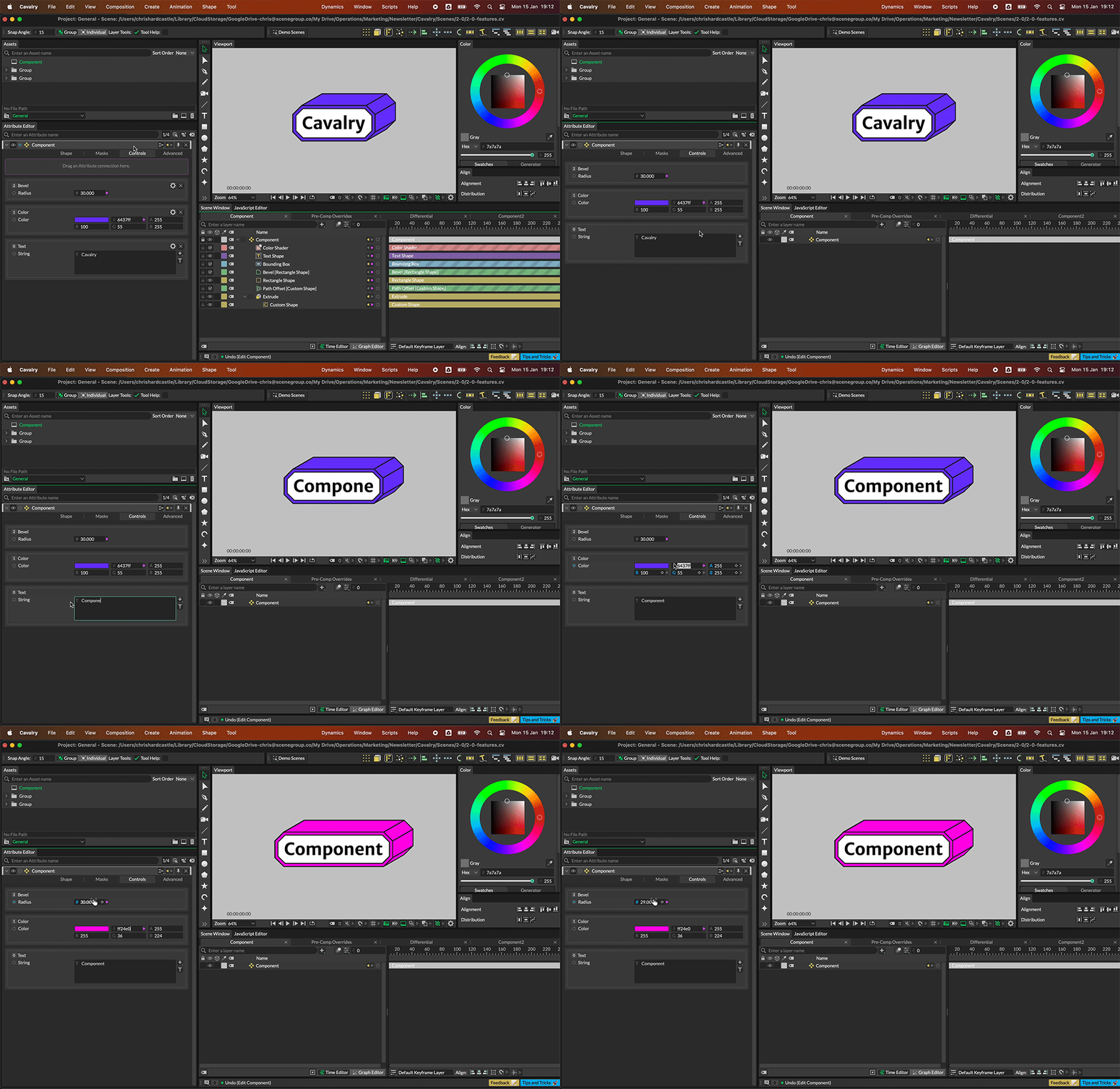
折叠 Component 以筛选提升的控件。
任何可以创建连接的属性都可以在 Component 中使用。
- 创建一个 Component。
- 创建一个 Rectangle。
- 在 Attribute Editor 中,将 Rectangle 的 Size 属性的连接拖到 Component 的 Control 选项卡 UI 顶部的紫色区域。
- 在 Scene Window 中将 Rectangle 设为 Component 的子级。
- 在 Attribute Editor 中,右键单击 Size 属性并选择 Rename。
- 为该属性指定一个自定义标签。
- 在 Attribute Editor 中,右键单击 Component 的标题栏。
- 选择 Component 并取消勾选 Edit Component。
- 在 Attribute Editor 中,右键单击 Component 的标题栏。
- 选择 Component 并勾选 Compact Layout。
Component 的 UI 将简化,并且 Rectangle 将从 Layer 堆栈中隐藏。
编辑 Component
标题为“编辑 Component”的章节Components 有两种模式,可以通过在 Attribute Editor 中右键单击 Layer 的标题栏并从 Component 菜单中选择选项来访问。
- 已勾选 - 来自其他 Layers 的属性可以添加到 Component 中。作为 Component 子级的任何 Layers 在 Scene Window 中可见。
- 未勾选 - 作为 Component 子级的任何 Layers 在 Scene Window 中隐藏,并且阻止添加或移除其他 Layers 的属性。
向 Component 添加属性
标题为“向 Component 添加属性”的章节要向 Component 添加属性,在 Attribute Editor 中,将连接从 Layer 的属性拖到 Component 的 Control 选项卡 UI 顶部的紫色区域。
从 Component 移除属性
标题为“从 Component 移除属性”的章节要从 Component 移除属性,可以:
- 右键单击 Component 的 Control 选项卡中的属性并选择 Remove from Component。
- 使用源属性的连接图标。
可以通过右键单击属性并选择「Rename」来自定义属性标签。