Index Context
Context Index Utility 充当一个仅在图层的计算过程中存在的输入。与其他图层有输入连接的图层可以选择向这些输入图层提供上下文,以产生不同的结果。Duplicator 就是这样一个图层,它向所有输入提供一个索引上下文。
请查看 Context 页面,了解关于此概念的背景知识。
此 utility 允许我们使用上下文信息来实现更具体和复杂的结果。
要可视化 ‘index context’,请按照以下步骤操作:
- 创建一个 Text Shape。
- 使用 String 属性旁边的
+按钮,添加一个 String Generator。 - 将 Generator 设置为 Value。
- 将 Precision 和 Padding 设置为 0。
- 将 Text Shape 添加到一个 Duplicator。
- 在 Grid Distribution 上,将 Count 设置为 X = 1,Y = 10。
- 创建一个 Context Index Utility。
- 连接 contextIndex.id→stringGenerator.number。
Duplicator 在其 Advanced 选项卡下包含一个 Index Context 属性。可以跳过创建 Context Index Utility,直接连接 Duplicator。例如,将上述步骤 7 和 8 替换为:
- 连接 duplicator.indexContext→stringGenerator.number。
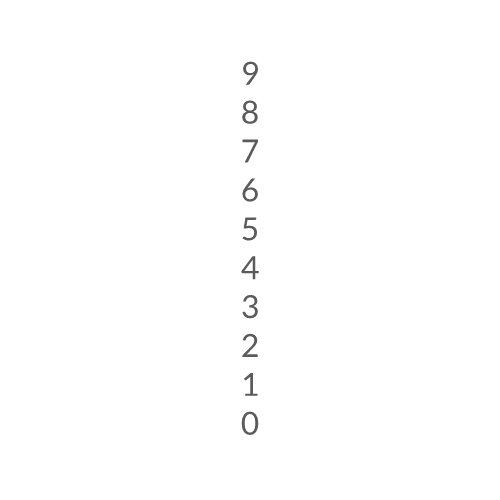
这没有什么意外的。让我们进一步深入。
Context Depth
标题为“Context Depth”的章节当一个图层提供上下文时,它会被添加到一个上下文链中。如果我们在一个 Duplicator 中包含另一个 Duplicator,那么该链将包含两个索引上下文。Context Index 允许你选择提供给其他图层的上下文的”深度”。
示例(接上一示例):
- 将 Duplicator 添加到第二个 Duplicator。
- 将 Duplicator2 的 Grid Distribution 设置为 Count X = 5, Count Y = 1。
结果: 索引值穿过第二个 Duplicator。
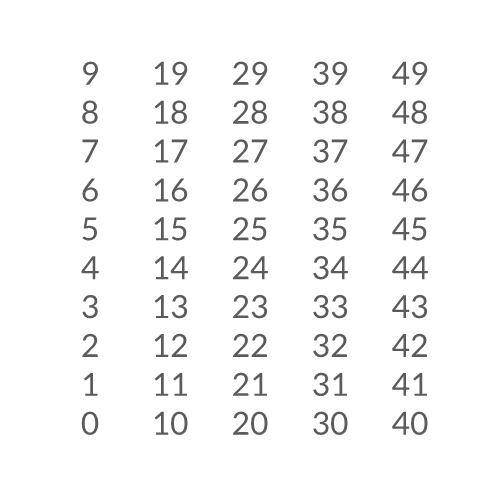
指数 0-49(共 50)传递给所有副本。
Duplicator1 自动累积来自 Duplicator2 的索引,这就是为什么我们得到的数字范围是 0 到 49,即使我们选择了 Depth 值为 1。我们可以改变这一点:3. 在 Attribute Editor 中,取消勾选 Duplicator1 的 Advanced 选项卡下的 Use Index Context。
结果: 数字现在表示来自 Duplicator1 的索引。
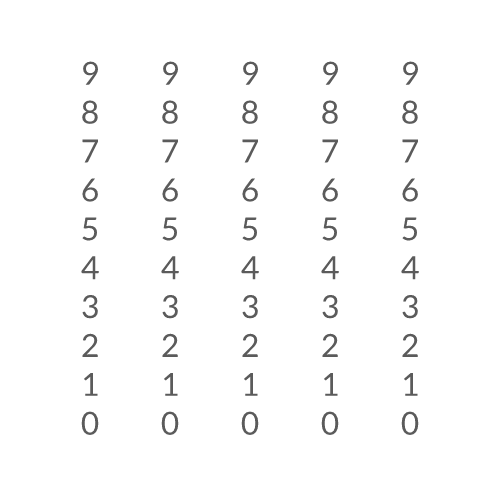
Depth 为 1 输出 Duplicator1 提供的索引
- 将 Content Index 上的 Depth 设置为 2。
结果: 数字现在表示来自 Duplicator2 的索引。
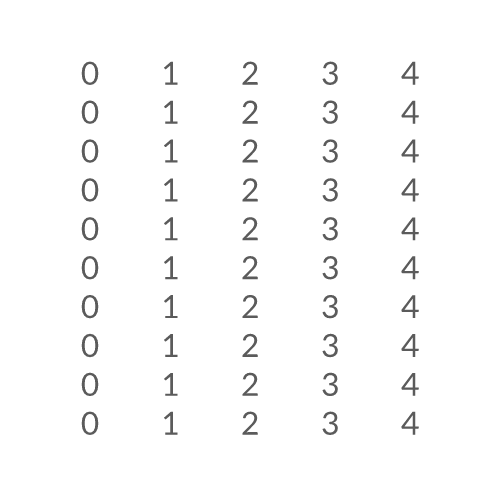
Depth 为 2 输出 Duplicator2 提供的索引
Bonus
标题为“Bonus”的章节将 Context Index Utility 与 Jsmath Utility 结合可以产生一些有趣的结果。
- 创建另一个 Context Index Utility。
- 确保 Depth 设置为 1(默认)。
- 创建一个 Jsmath Utility。
- 连接 contextIndex2.id→jsmath.array.0。
- 将 Expression 设置为:
0.5 + n0 * n0 * 0.01。 - 连接 jsmath.id→duplicator1.shapeScale.x。
- 连接 jsmath.id→duplicator1.shapeScale.y。
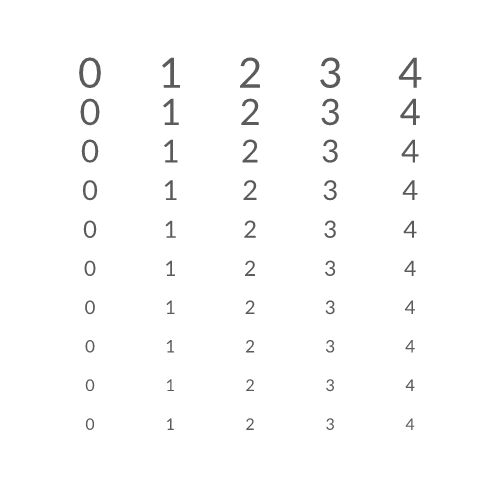
使用 Duplicator1 的索引来缩放 Duplicator2 生成的形状。