Luminance Blur Filter
根據另一個 Layer 的亮度值模糊一個 Layer。例如,來自一個 Shape 的 Gradient Shader 可用於驅動另一個 Shape 的模糊量。
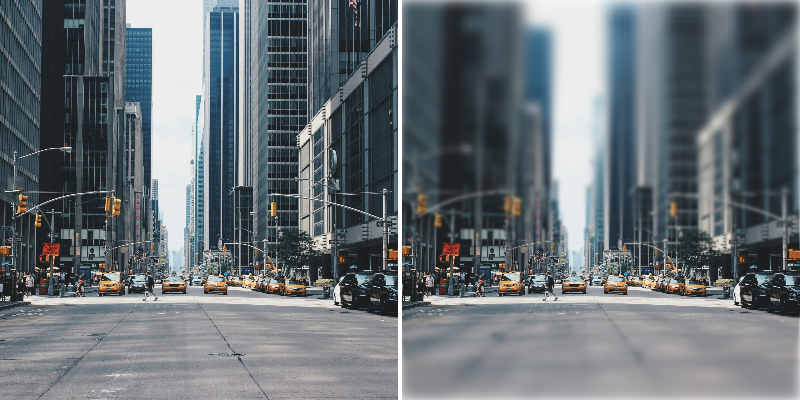
Photo by Andrea Cau on Unsplash
Input Shape - 連接一個 Shape 以從中取樣亮度。
Maximum Blur - 設定亮度為 1(白色)時的模糊量。
Minimum Blur - 設定亮度為 0(黑色)時的模糊量。
Invert Luminance - 反轉 Input Shape 的亮度。
View Mode - 選擇渲染到 Viewport 的檢視:
- Final Result - 顯示生成的模糊效果。
- Luminance - 預覽亮度值。
- 建立一個 Rectangle(Rectangle 1)。
- 將其 Size 設定為
300,200。 - 在 Attribute Editor 中,點擊 Rectangle 1 的 Filters 屬性上的
+按鈕,選擇 Luminance Blur。 - 建立第二個 Rectangle(Rectangle 2)。
- 將其 Size 設定為
500,500。 - 載入 Rectangle 2 的 Fill 分頁,點擊
 Shader 並從清單中選擇 Gradient Shader。
 - 隱藏 Rectangle 2。
- 連接 rectangle2.id→luminanceBlur.inputShape。
- 增加 Luminance Blur 的 Maximum Blur。
嘗試旋轉 Rectangle 2 或選擇 Gradient Shader 然後使用其 layer tool 在 Viewport 中調整漸變。
檢視其他模糊 Filters:
Background Blur Filter→ Bilateral Blur Filter→ Fast Blur Filter→ Box Blur Filter→ Directional Blur Filter→ Gaussian Blur Filter→ Zoom Blur Filter→