RGB Split Filter
將 Shape 的紅、綠、藍通道分離並偏移。
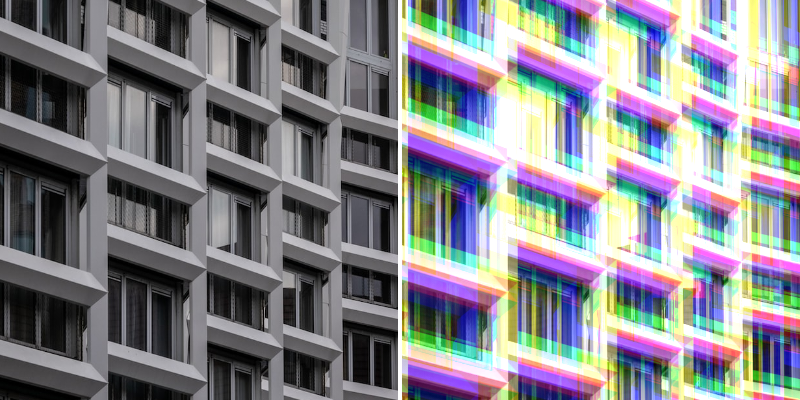
Photo by Tom Podmore on Unsplash
- Settings
- Colors
Base Layer - 顯示/隱藏原始圖層。
Blend Mode - 選擇 Blend Mode。
Strength - 增加/減少每個顏色通道的偏移量。
Automatic Padding - 根據 Filter 設定自動增加內邊距。這將防止可能出現的裁剪。
Padding - 增加/減少 Shape 的內邊距。可用於裁剪 Shape 的邊緣。
Repetitions - 設定 Filter 效果處理的次數。
Repetition Distance - 設定第一次和最後一次重複之間的距離。
Rotation - 旋轉每次重複。
Red Channel - 設定紅色通道使用的顏色。
Green Channel - 設定綠色通道使用的顏色。
Blue Channel - 設定藍色通道使用的顏色。
Red Channel Offset - 設定紅色通道的位置偏移。
Blue Channel Offset - 設定藍色通道的位置偏移。
Green Channel Offset - 設定綠色通道的位置偏移。