Index Context
Context Index Utility 充當一個僅在圖層的計算過程中存在的輸入。與其他圖層有輸入連接的圖層可以選擇向這些輸入圖層提供上下文,以產生不同的結果。Duplicator 就是這樣一個圖層,它向所有輸入提供一個索引上下文。
請查看 Context 頁面,了解關於此概念的背景知識。
此 utility 允許我們使用上下文資訊來實現更具體和複雜的結果。
要視覺化 ‘index context’,請按照以下步驟操作:
- 建立一個 Text Shape。
- 使用 String 屬性旁邊的
+按鈕,新增一個 String Generator。 - 將 Generator 設定為 Value。
- 將 Precision 和 Padding 設定為 0。
- 將 Text Shape 新增到一個 Duplicator。
- 在 Grid Distribution 上,將 Count 設定為 X = 1,Y = 10。
- 建立一個 Context Index Utility。
- 連接 contextIndex.id→stringGenerator.number。
Duplicator 在其 Advanced 標籤下包含一個 Index Context 屬性。可以跳過建立 Context Index Utility,直接連接 Duplicator。例如,將上述步驟 7 和 8 替換為:
- 連接 duplicator.indexContext→stringGenerator.number。
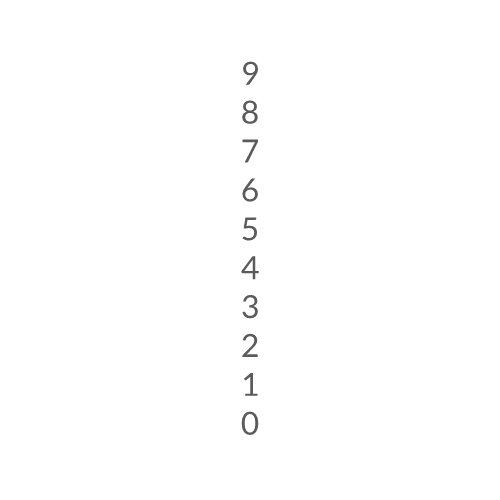
這沒有什麼意外的。讓我們更進一步。
Context Depth
标题为“Context Depth”的章节當一個圖層提供上下文時,它會被新增到一個上下文鏈中。如果我們在一個 Duplicator 中包含另一個 Duplicator,那麼該鏈將包含兩個索引上下文。Context Index 允許你選擇提供給其他圖層的上下文的「深度」。
範例(接續上一範例):
- 將 Duplicator 新增到第二個 Duplicator。
- 將 Duplicator2 的 Grid Distribution 設定為 Count X = 5, Count Y = 1。
結果: 索引值穿過第二個 Duplicator。
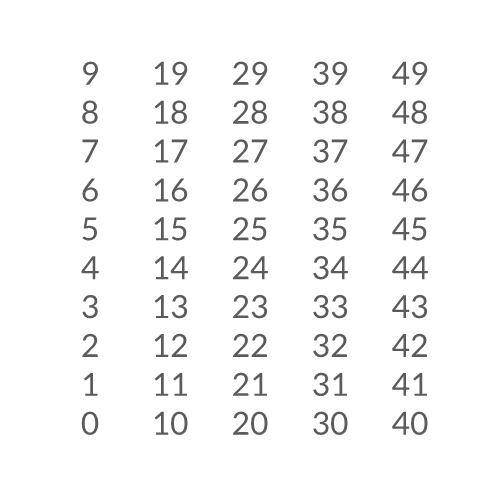
指數 0-49(共 50)傳遞給所有副本。
Duplicator1 自動累積來自 Duplicator2 的索引,這就是為什麼我們得到的數字範圍是 0 到 49,即使我們選擇了 Depth 值為 1。我們可以改變這一點:3. 在 Attribute Editor 中,取消勾選 Duplicator1 的 Advanced 標籤下的 Use Index Context。
結果: 數字現在表示來自 Duplicator1 的索引。
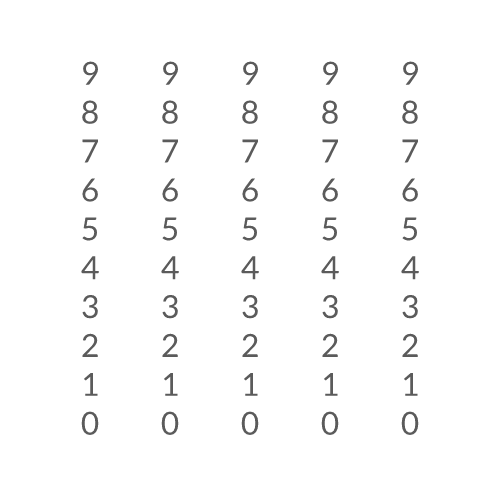
Depth 為 1 輸出 Duplicator1 提供的索引
- 將 Content Index 上的 Depth 設定為 2。
結果: 數字現在表示來自 Duplicator2 的索引。
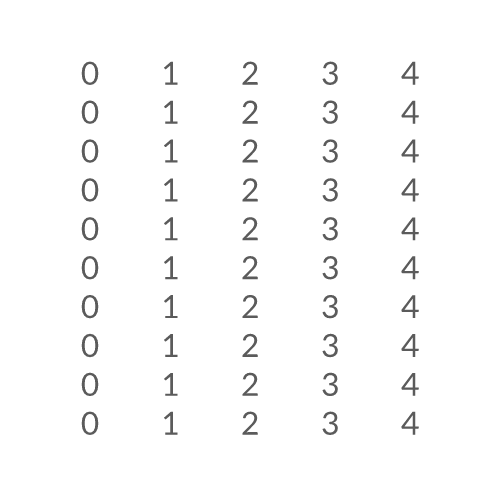
Depth 為 2 輸出 Duplicator2 提供的索引
Bonus
标题为“Bonus”的章节將 Context Index Utility 與 Jsmath Utility 結合可以產生一些有趣的結果。
- 建立另一個 Context Index Utility。
- 確保 Depth 設定為 1(預設)。
- 建立一個 Jsmath Utility。
- 連接 contextIndex2.id→jsmath.array.0。
- 將 Expression 設定為:
0.5 + n0 * n0 * 0.01。 - 連接 jsmath.id→duplicator1.shapeScale.x。
- 連接 jsmath.id→duplicator1.shapeScale.y。
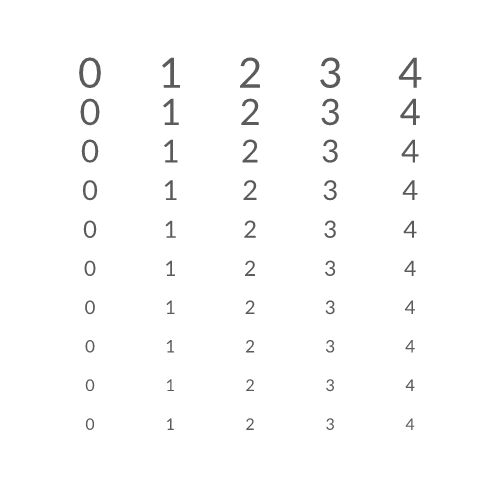
使用 Duplicator1 的索引來縮放 Duplicator2 生成的形狀。